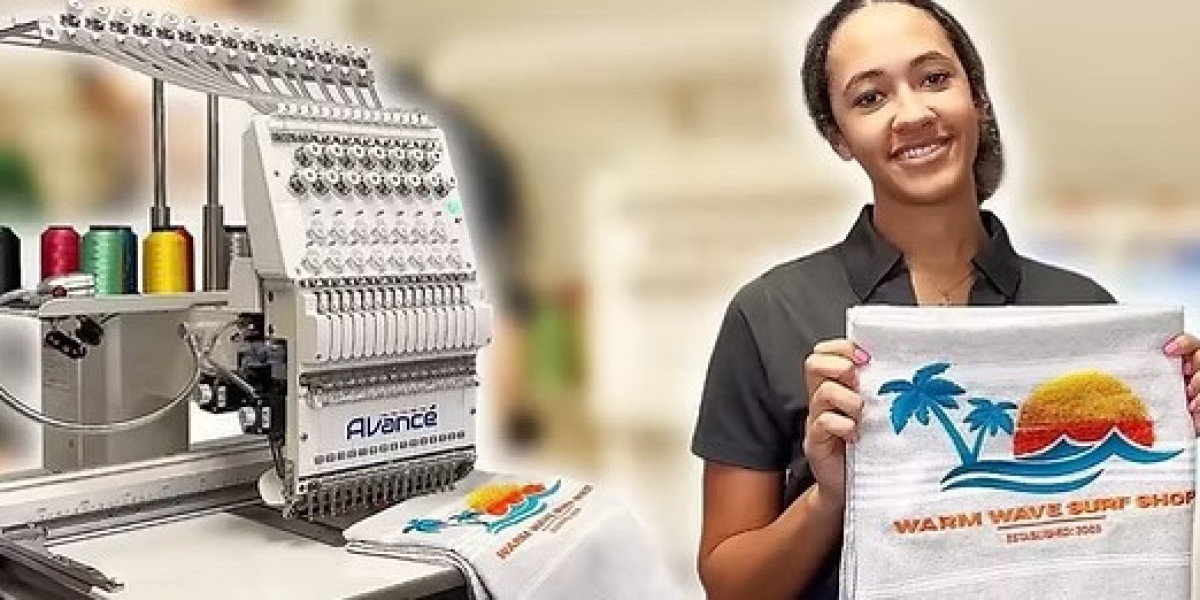

Convert Artwork to PES File is one of the most important steps in embroidery work. If this step is done the right way, your design stitches clean and strong. If it is done the wrong way, stitches break, shapes lose form, and fabric can get damaged. This is why careful planning and the right process matter more than speed.
Many people think file conversion is simple. In real embroidery work, it is not. Stitch quality depends on how the artwork is prepared and how stitches are placed.
What Is a PES File in Embroidery?
A PES file is a stitch file used by Brother embroidery machines. It tells the machine how to move, where to stitch, and when to change colors.
The file includes:
- Stitch types
- Stitch order
- Stitch density
- Color data
Without a proper PES file, even good artwork will fail.
Why Stitch Quality Matters So Much
Embroidery uses thread and fabric. Both react to tension and movement.
Good stitch quality:
- Keeps edges smooth
- Prevents thread breaks
- Makes designs last longer
Poor quality leads to wasted time and material.
Start with Clean and Simple Artwork
Clean artwork is the base of good conversion.
Use High-Resolution Images
Clear images help define edges.
Remove Extra Details
Small details may not stitch well.
Check Size Early
Very small designs need fewer details.
Good prep saves time later.
Choose the Right Digitizing Software
Software controls how stitches are created.
Good software allows:
- Manual stitch control
- Density adjustment
- Stitch preview
Avoid tools that only auto convert.
Auto Conversion vs Manual Digitizing
There is a big difference.
Auto Conversion
- Fast
- Less control
- Often poor quality
Manual Digitizing
- Better stitch flow
- Clean finish
- Takes more time
Manual work gives better results.
Select Correct Stitch Types
Each area needs the right stitch.
Satin Stitch
Best for borders and text.
Fill Stitch
Used for large shapes.
Running Stitch
Used for thin lines.
Wrong stitch choice hurts quality.
Set Proper Stitch Direction
Stitch direction controls how light hits the thread.
Good direction:
- Adds shine
- Prevents gaps
- Improves texture
Bad direction makes designs uneven.
Adjust Stitch Density Carefully
Density must match fabric type.
Too Dense
- Thread breaks
- Fabric pulls
Too Light
- Gaps show
- Weak coverage
Balanced density is key.
Use Underlay Stitches for Support
Underlay stitches hold fabric in place.
They help:
- Reduce puckering
- Improve top stitches
- Strengthen design
Skipping underlay is a common mistake.
Plan Stitch Order for Smooth Flow
Stitch order affects machine movement.
Good order:
- Reduces jumps
- Saves time
- Keeps design clean
Planning improves machine performance.
Match Settings to Fabric Type
Fabric matters.
Cotton
Easy to stitch.
Caps
Need special angles.
Stretch Fabric
Needs extra underlay.
Wrong settings cause issues.
Always Test the PES File
Testing shows real results.
Test stitch helps you:
- Spot errors
- Fix density
- Check pull
One test saves many problems.
Common Mistakes That Ruin Stitch Quality
Avoid these errors.
Using Low Quality Images
Leads to messy stitches.
Ignoring Fabric Behavior
Causes pull and distortion.
Skipping Test Stitch
Creates surprises.
These mistakes cost time.
Why Professionals Avoid One-Click Conversion
One-click tools look easy. They fail often.
They do not:
- Read fabric needs
- Adjust stitch flow
- Control density well
Quality needs planning.
How Good Conversion Improves Machine Life
Bad files stress machines.
Good PES files:
- Reduce thread breaks
- Protect needles
- Lower machine strain
Machines last longer.
When to Use Professional Digitizing Services
Some designs need expert care.
Use experts for:
- Small text
- Detailed logos
- Large orders
Experts save time and cost.
Real Experience from Embroidery Work
From real embroidery jobs, it is clear. Quality starts at the file level. Clean PES files make embroidery smooth and stress free. Poor files waste fabric and thread.
Experience shows that careful digitizing always pays off.
Final Thoughts
To convert artwork to PES file without losing stitch quality, you need clean art, correct settings, and proper testing. Rushing the process leads to poor results. Taking time leads to clean stitches and happy customers.
When quality matters and you want reliable embroidery files that run smoothly on machines, many creators trust Digitizing Buddy for professional digitizing that protects stitch quality from start to finish.